3.Overview
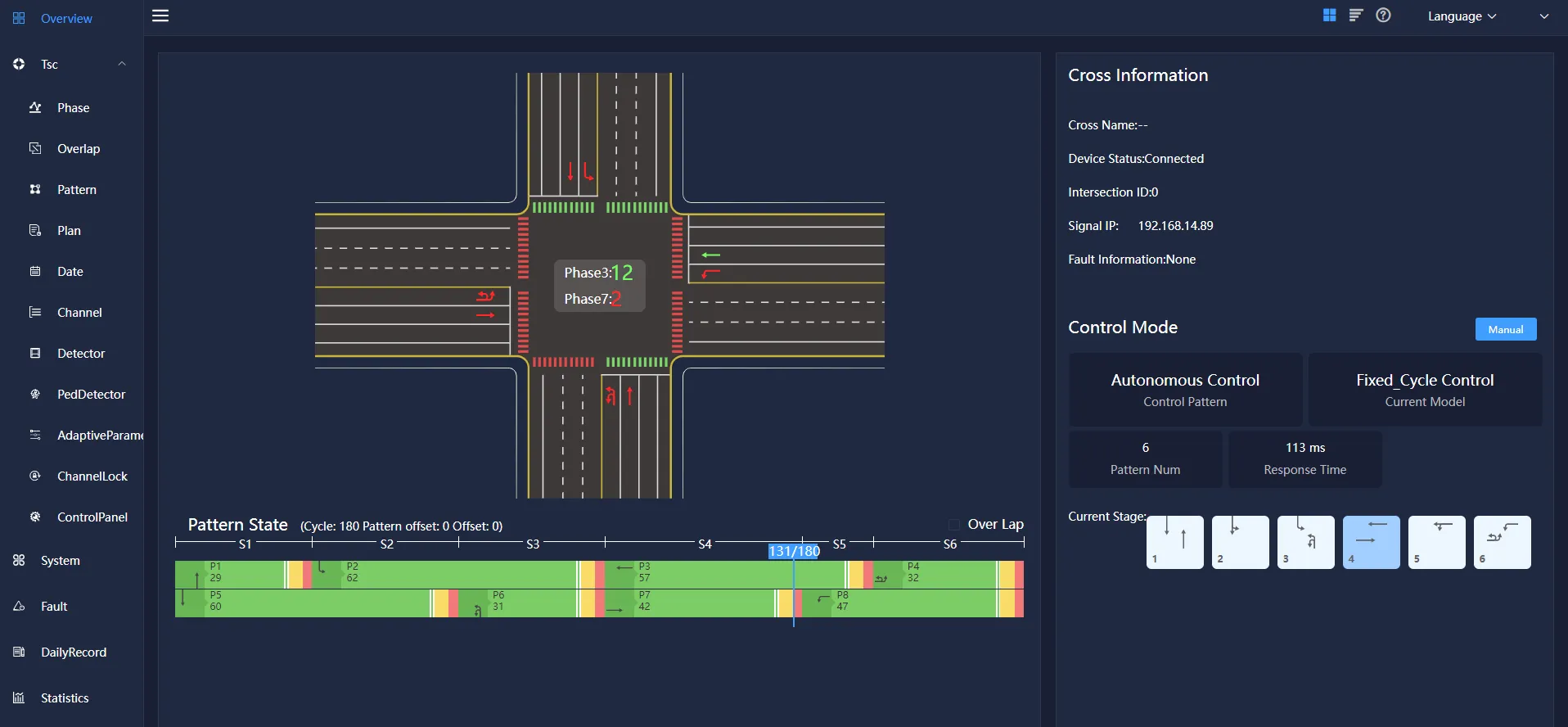
After entering the overview, you can see the intersection information, program status, control mode of the device.
3.1 Intersection information
Intersection information includes intersection name, equipment status (connected/online), Intersection ID, signal ID, fault information, etc.
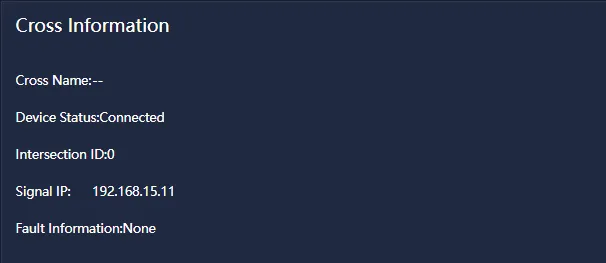
Cross name: Intersection name
Device status: online/offline
Intersection ID: ID card of the semaphore
Signal IP: The network segment in which the current signal machine is located
Fault information: Information reported by the current Semaphore
3.2 Program status
The program status mainly displays the green signal ratio of each phase in a cycle and the traffic direction of the current phase.

Cycle: The time it takes to run a complete solution
Offset: Time difference between two phases
S1-S6: Represents the four stages in a cycle
3.3 Way to control
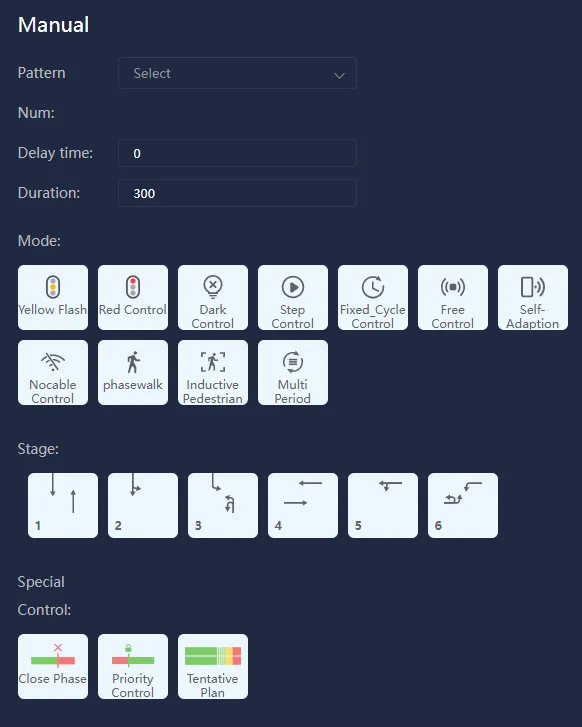
You can select manual control for the control mode. Click manual control to view the delay time, duration, and control mode and phase (resident) of the current device.
Click the "Manual Control" button, you can see the yellow flashing, all red, light off, stepping, fixed period, induction control, adaptive control, no electric coordination, pedestrian crossing, induction pedestrian crossing and Autonomous control mode.
You can select the corresponding control method to control the equipment according to the needs and for each stage.
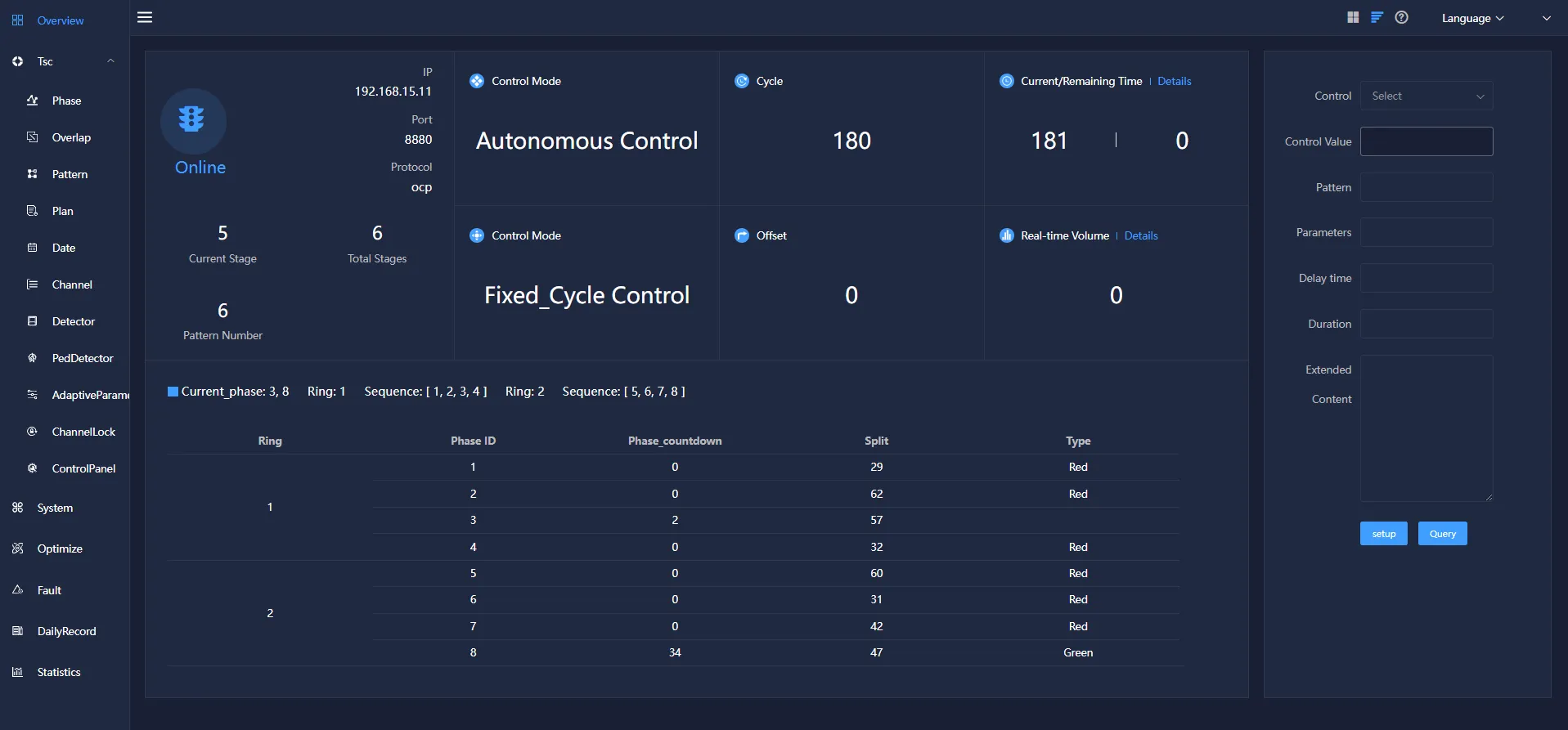
There are two styles of the detail interface, one is based on graphics and text, and the other is a simple interface based on text.
Click the interface replacement button in the lower right corner  ,Can be directly replaced with a simple style interface based on text,As shown in Figure 3-5:
Delay time: Delay a certain time and then perform the task
Duration: Time of pattern execution
Way to control:
- Yellow flash
- Red control
- Dark control
- Step control
- Fixed_cycle control
- Free control
- Self-adaption control
- Nocable control
- Phasewalk
- Inductive pedestrian
- Multi period
Click Execute to set the corresponding operation mode.