5. Duty Route
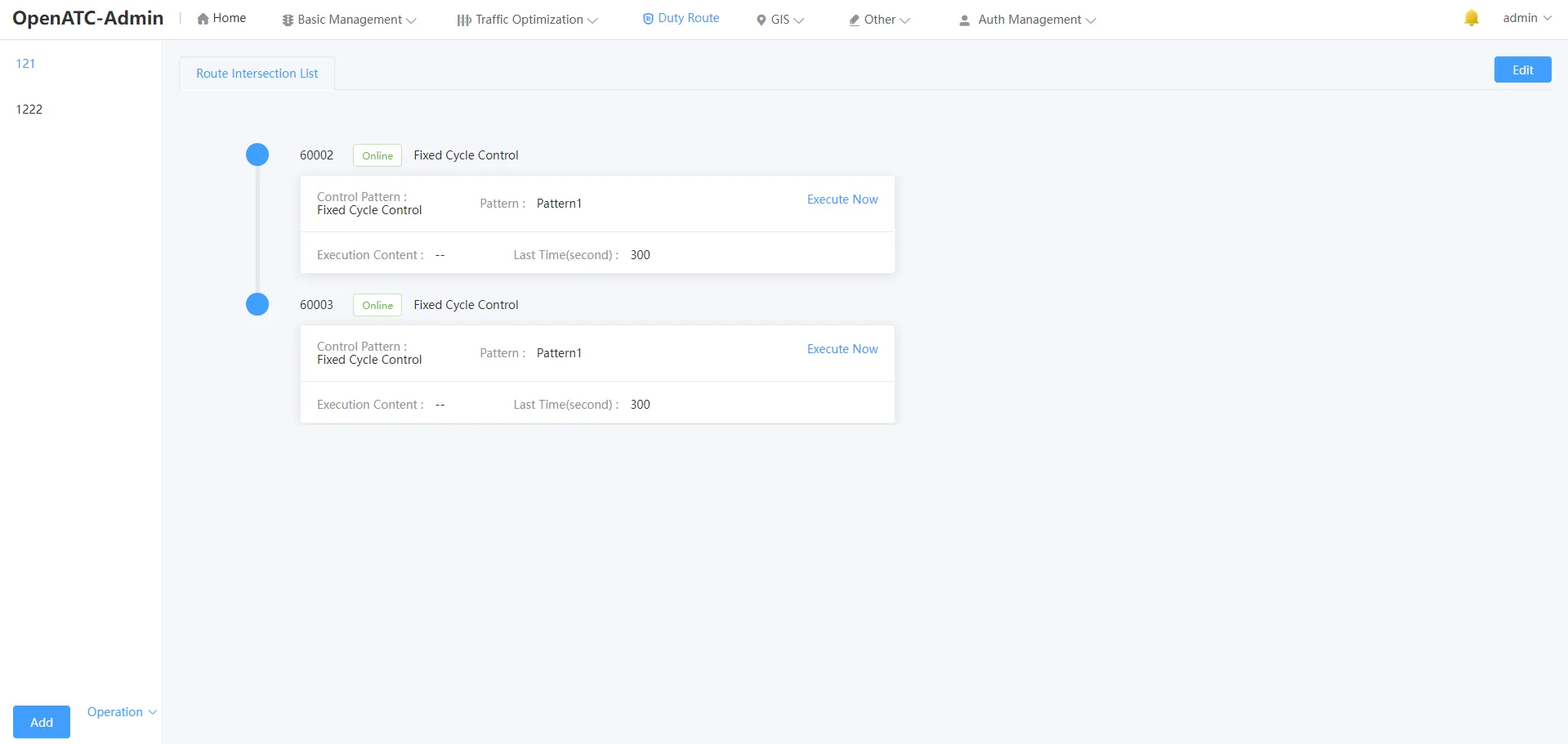
Click the menu bar "Traffic Interrupt-Duty Route" to enter the corresponding interface. The duty route list is displayed.

Click on a specific route to see all intersection-related attributes involved in this duty route, including intersection ID, intersection status, control mode, control mode, scheme, execution content and duration.
5.1 Route Management
At the bottom left of the service route interface, you can add, edit, delete and other functions for the plan.
5.1.1 Add Route
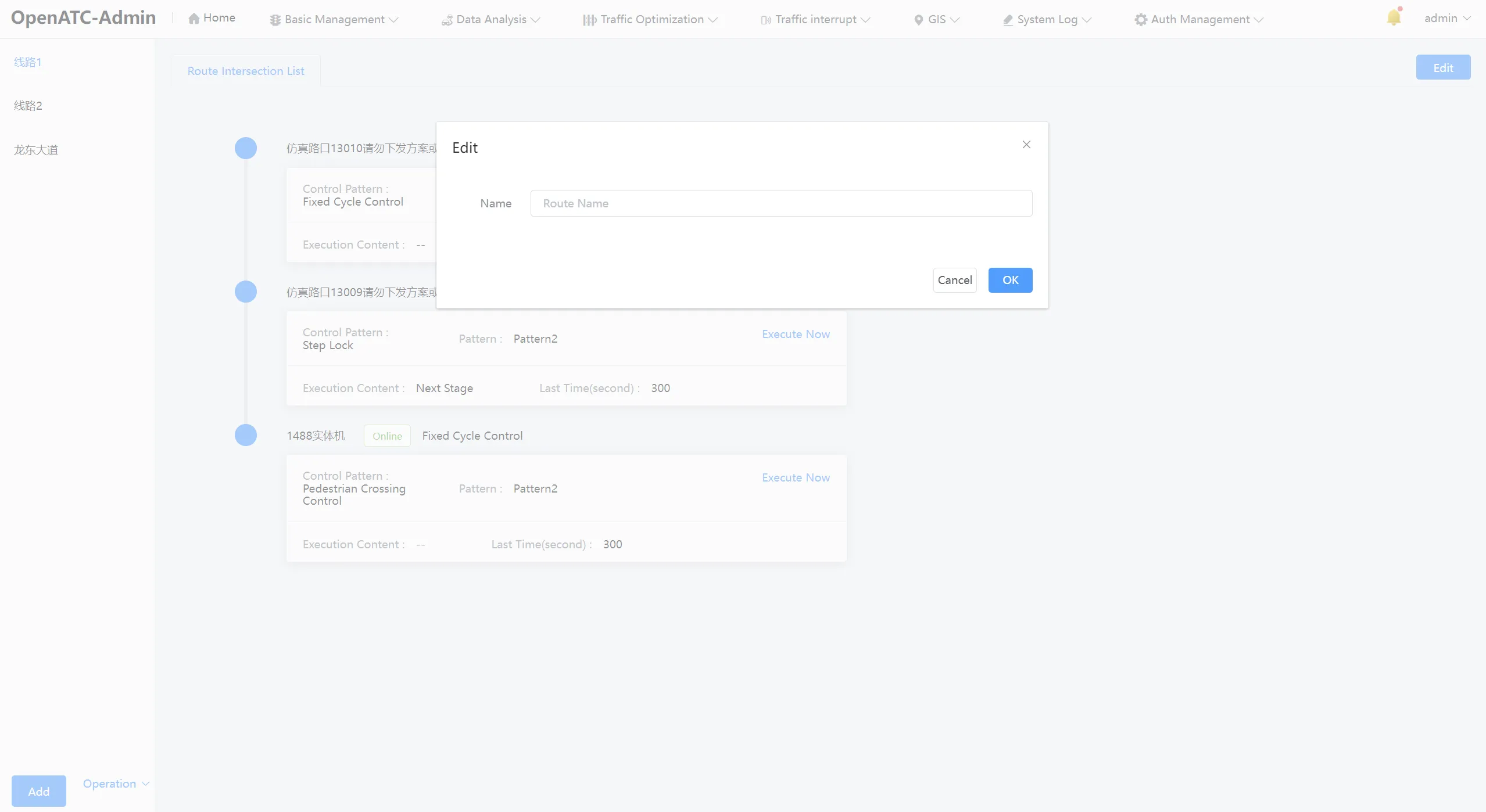
At the bottom left of the service route interface, click "Add" to pop up the new duty route plan dialog box.
5.1.2 Edit Route
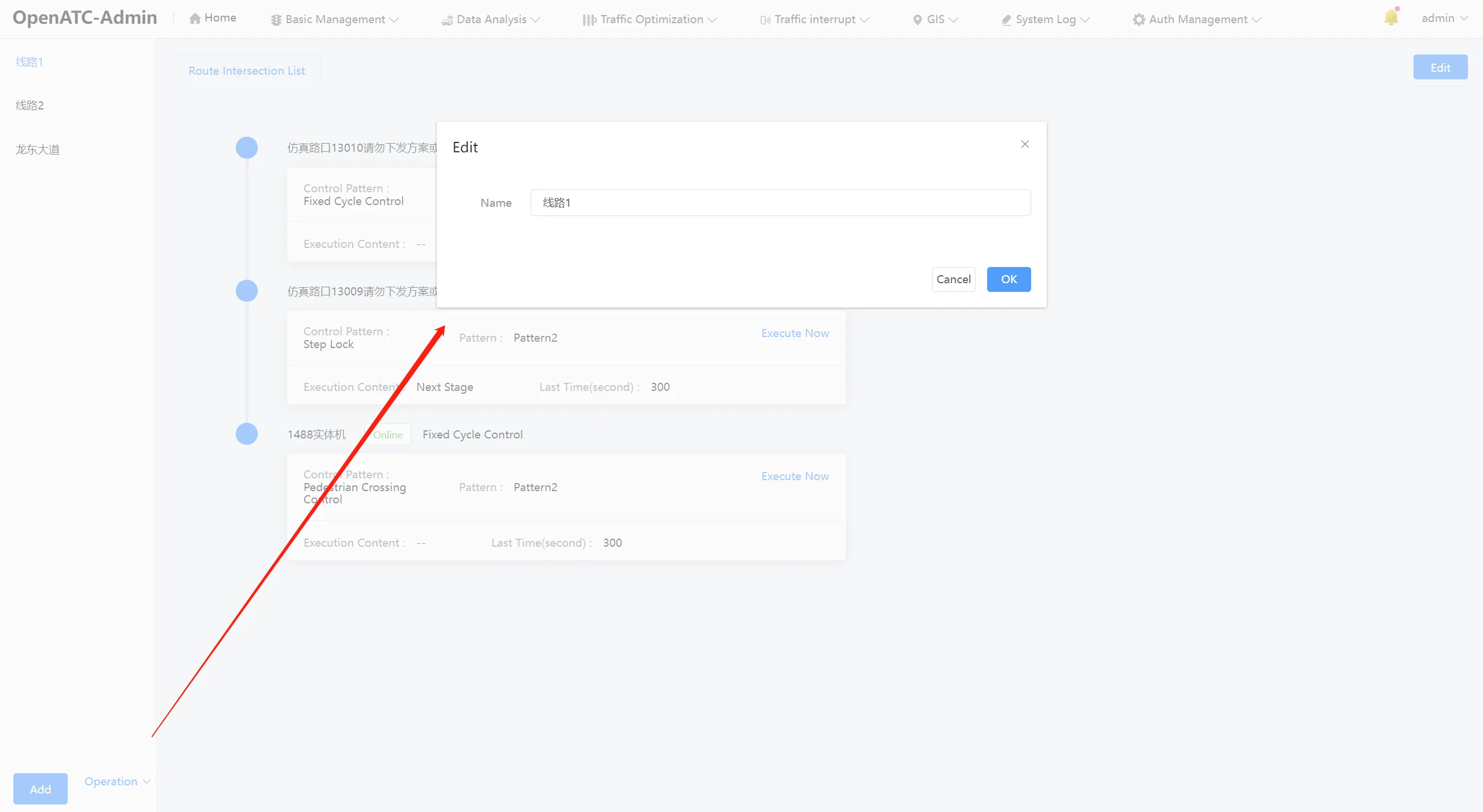
Click "Operation-Edit" in the lower left of the duty route, and the dialog box for editing the duty route scheme pops up. Enter the name and click OK.
5.1.3 Delete Route
Click "Operation-Delete" in the lower left of the duty route interface to delete the plan.
5.2 Duty Route Configuration
You can view and edit the intersections involved in the duty route, displaying the names of all intersections under that duty route, control methods, schemes, control contents and duration, etc.
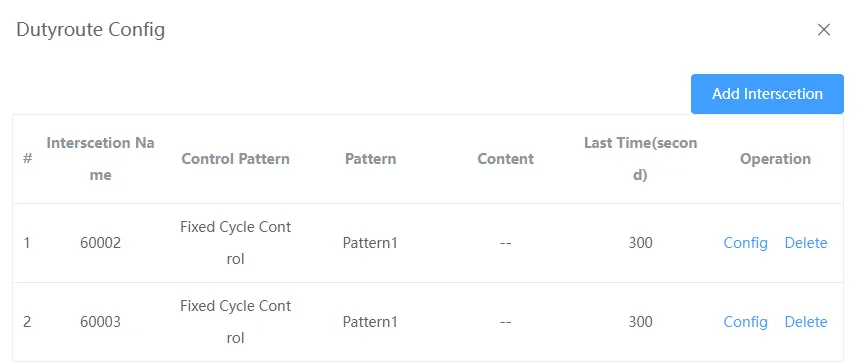
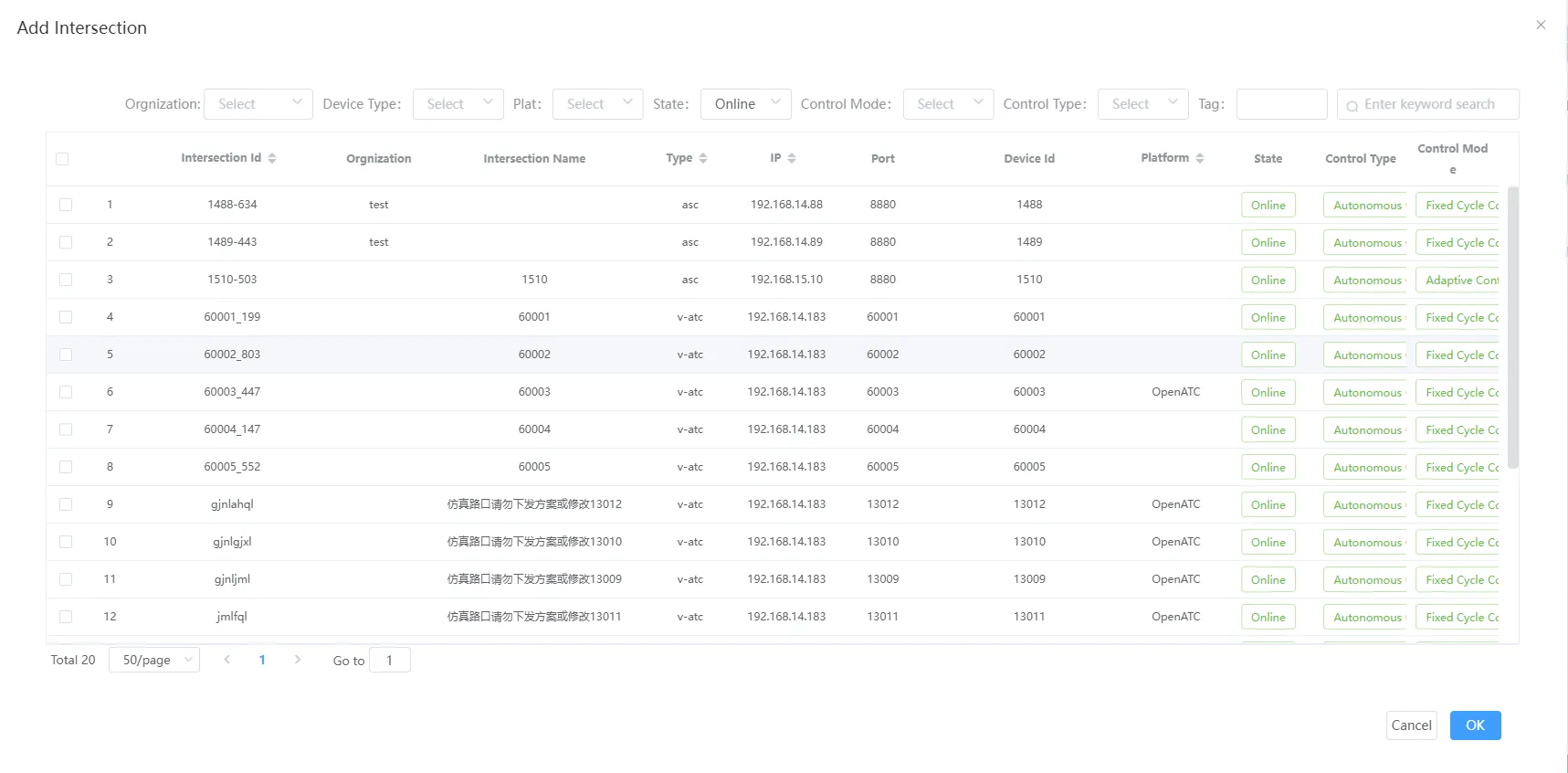
Click the "Add Intersection" button to bring up the Add Intersection dialog box, select the intersection you want to add and OK it.
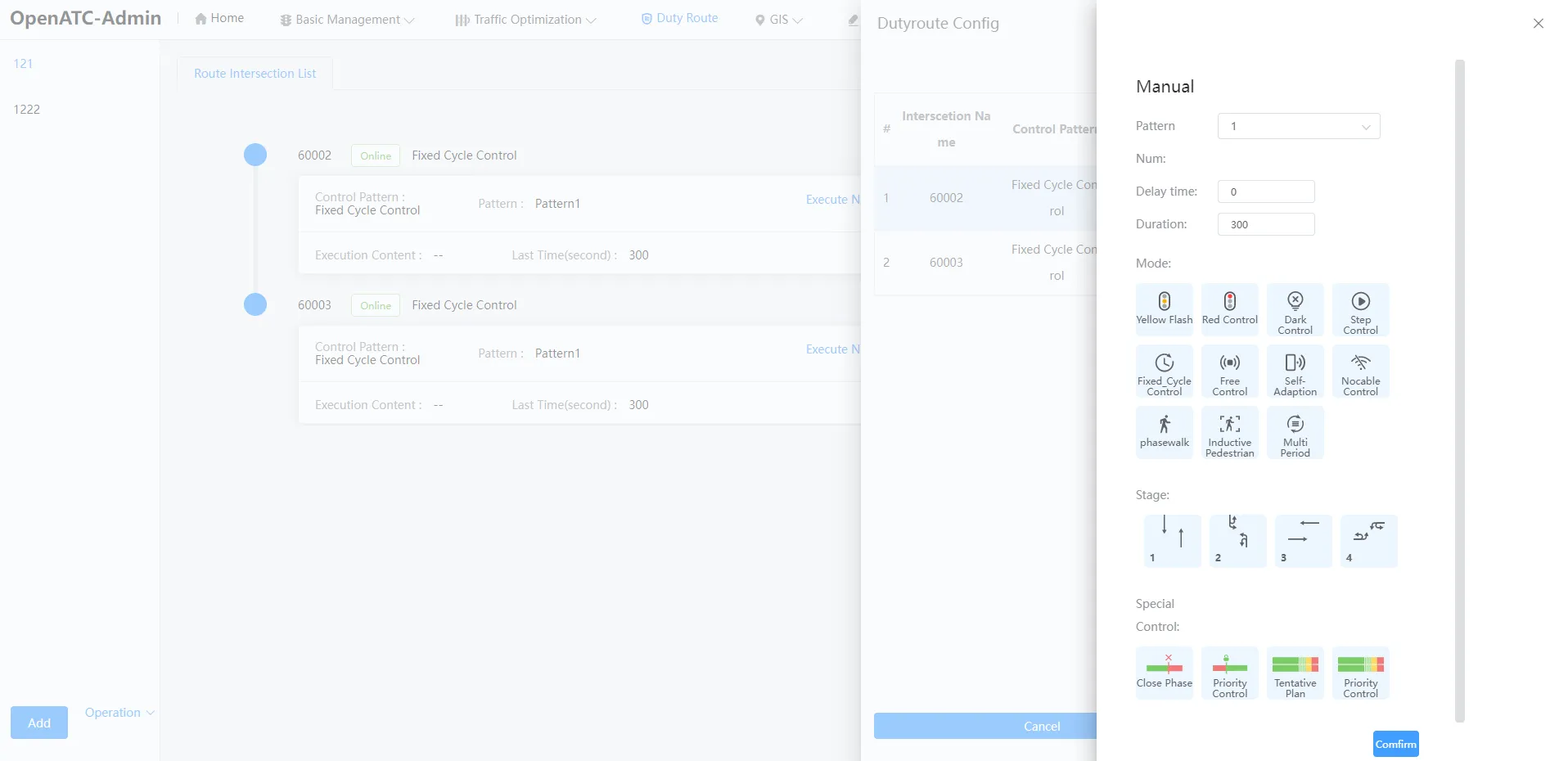
Click "Operation-Configuration" in the specific intersection to manually control, modify the scheme number, control mode, stage and special control, etc., and also enter the delay time and duration, and click OK to submit.
5.3 Preplan Control List
Select a route to view attributes related to the equipment involved in the route, including: intersection ID, control mode, status (online/offline/faulty), scenario, execution content, and duration.Tap the "Execute Now" button of the associated intersection of the duty route, the device turns to the duty status and displays the remaining time of duty at the same time.
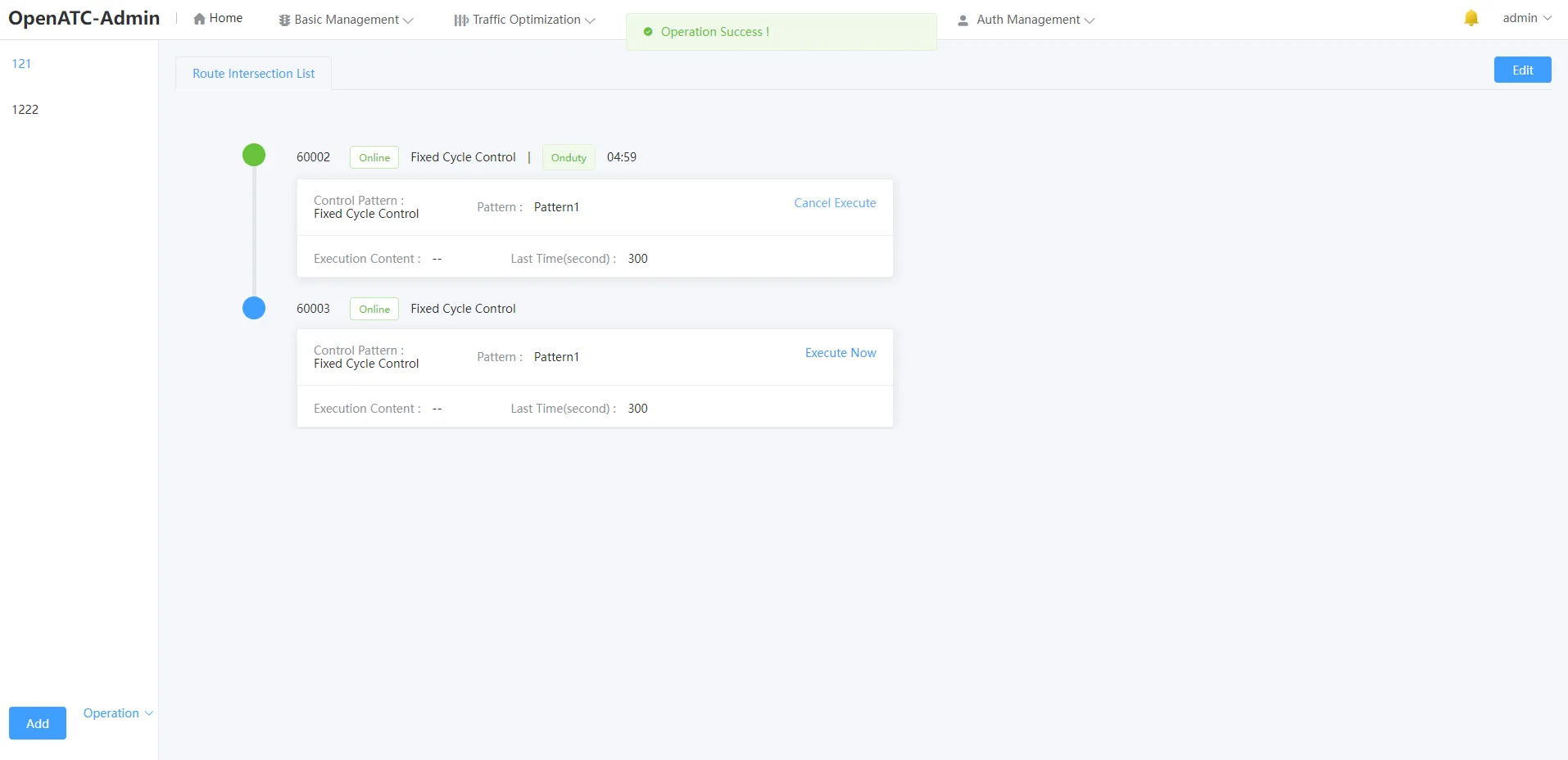
When execution is complete, tap "Cancel Execution" and the intersection will return to the initial pending status.