12. Fault Record
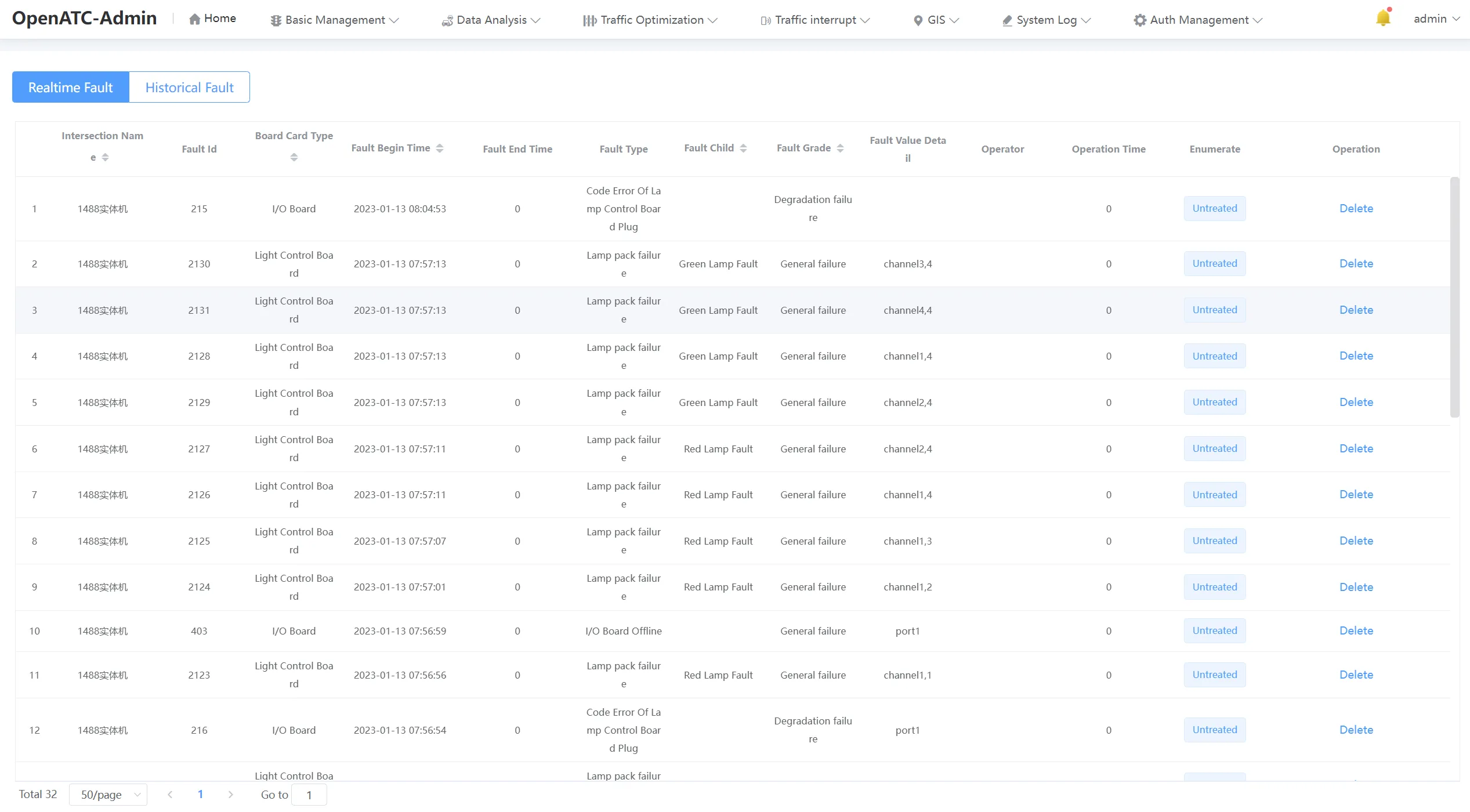
Click "System Log-Fault Record" in the menu bar to enter the corresponding interface, and the real-time fault and historical fault can be viewed in the operation record.
12.1 Realtime Fault
12.1.1 Overview
You can view the real-time fault, and the interface information includes: intersection name, fault ID, board type, fault type, confirmer, confirmation time, confirmation result (ignored or confirmed) and other information.
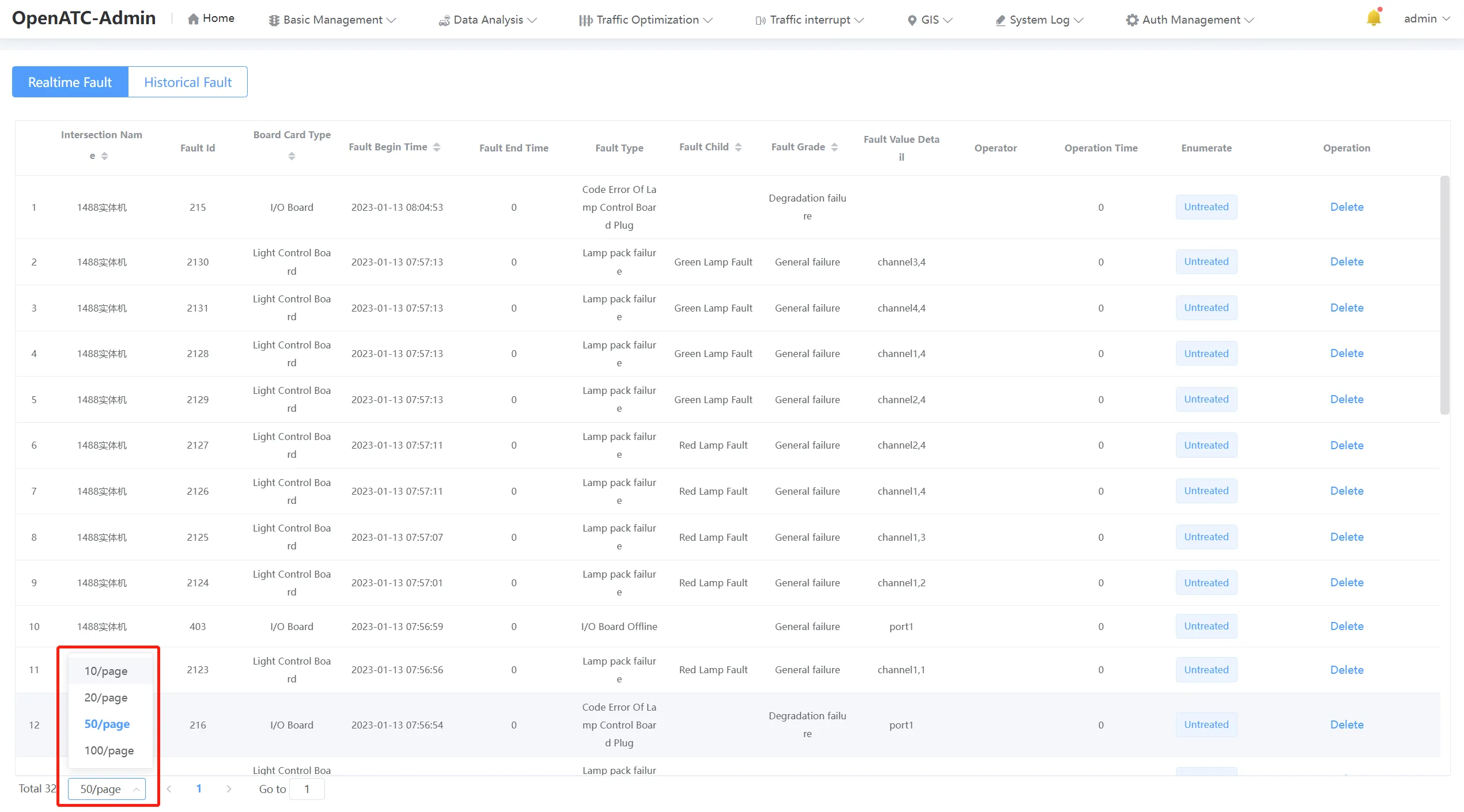
12.1.2 Pagination Function
The pagination function can set the number of records displayed per page, and at the same time, it can enter the page number to jump directly to the specified page.
12.2 Historical Fault
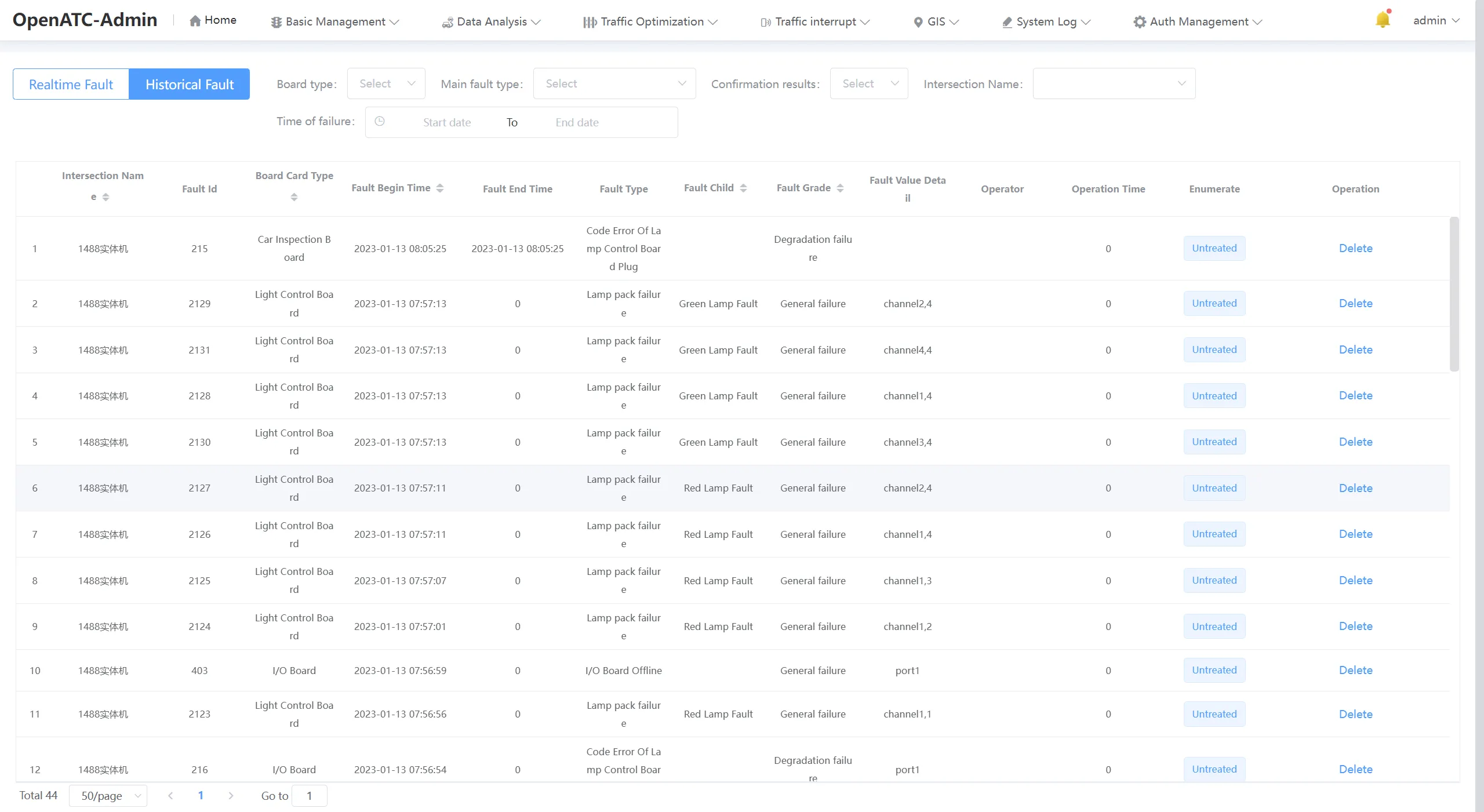
12.2.1 Overview
You can view the history of faults, the interface information includes: intersection name, fault ID, board type, fault type, confirmer, confirmation time, confirmation result (Unprocessed or confirmed), etc., the interface can select the board type, fault master type, confirmation result (unprocessed / confirmed / ignored), intersection name and the start time of the fault.
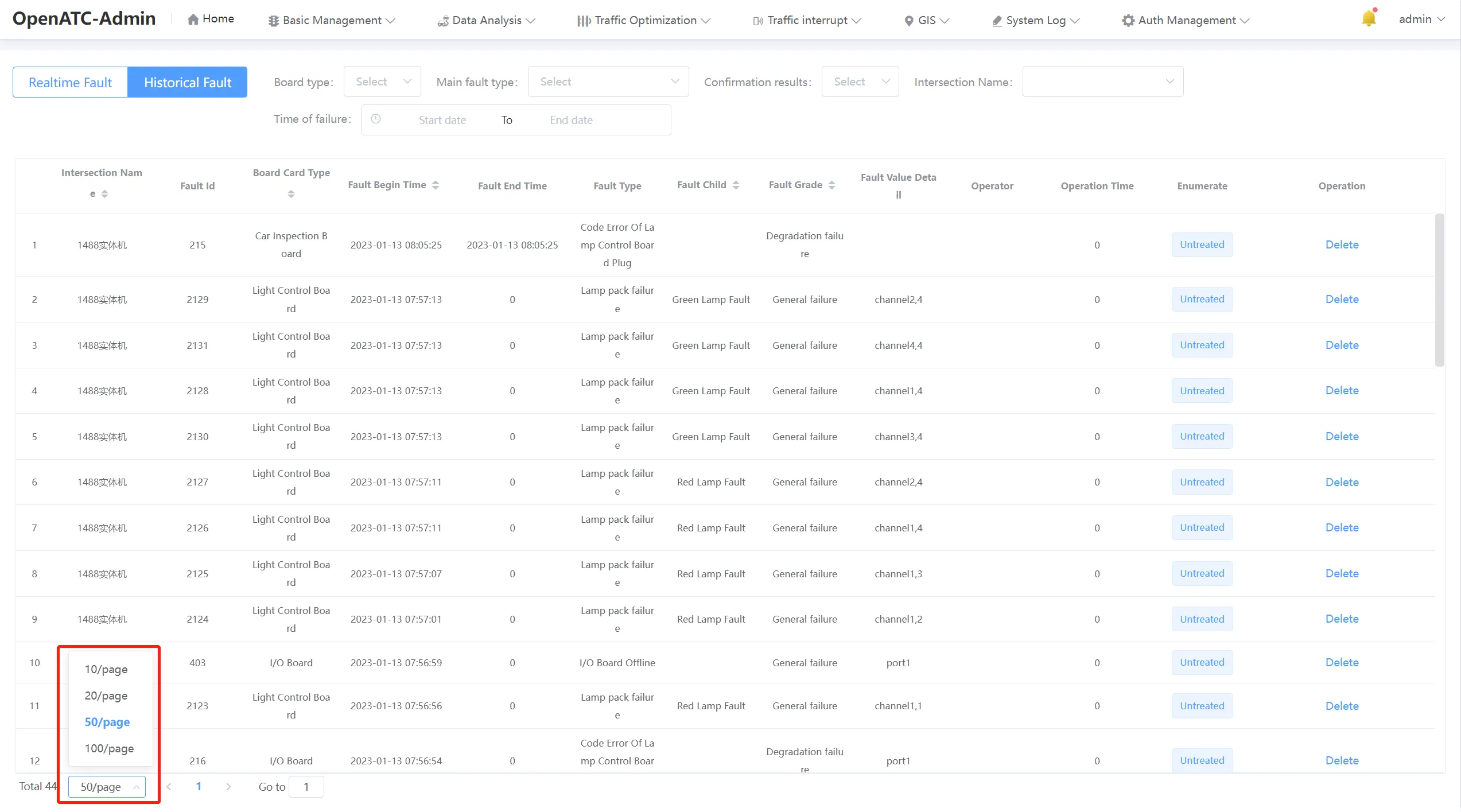
12.2.2 Pagination Function
The pagination function can set the number of records displayed per page, and at the same time, it can enter the page number to jump directly to the specified page.
12.2.3 Search for Failures
Select the board type, fault master type, confirmation result (unhandled/confirmed/ignored), intersection name and start time of fault occurrence, you can search for specific historical fault information, view fault confirmation time and confirmation result and other information.