10. Organization
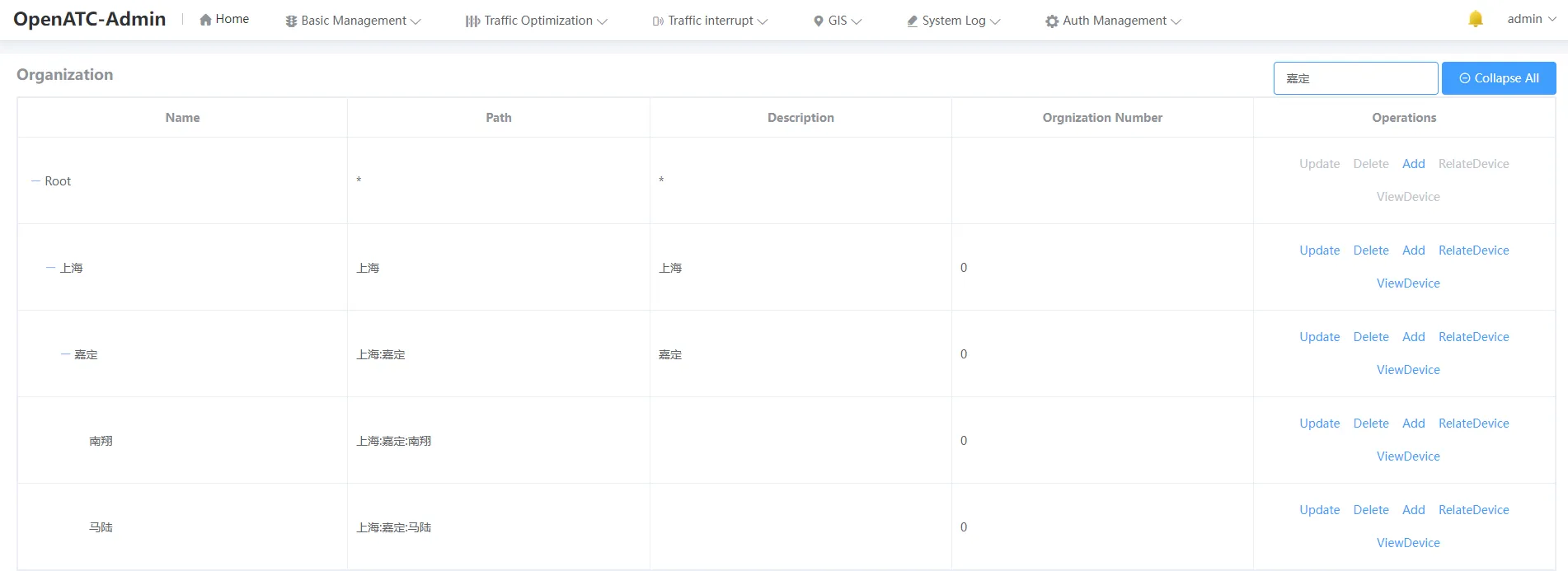
Click "Auth Management-Organization" in the menu bar to enter the corresponding interface, there is a global fuzzy search box in the upper right corner of the interface, click Search after typing.
10.1 Overview
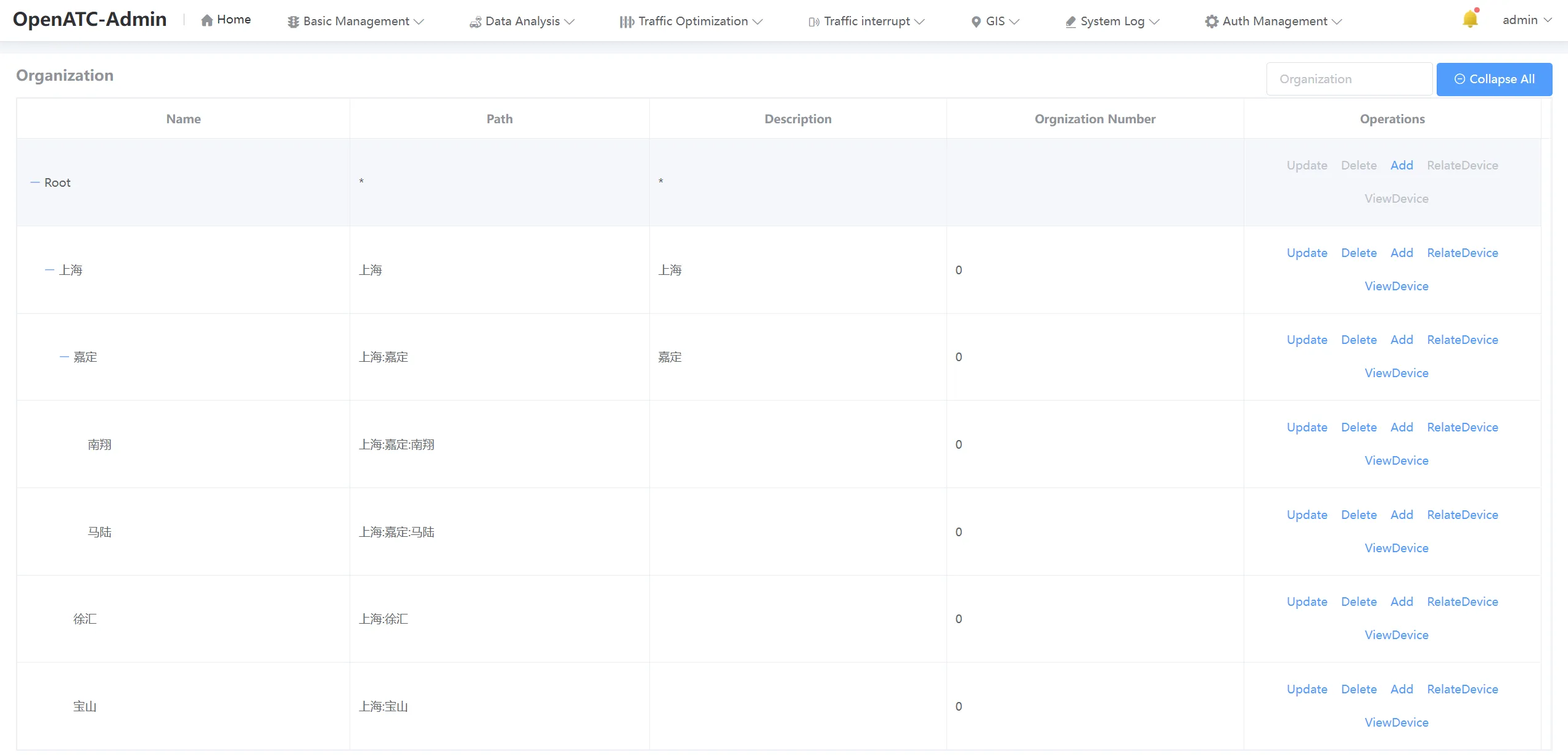
The overall view is the name of the institution, its path, its description, and how it operates.
10.2 Organization Operation
10.2.1 Add Ogranization
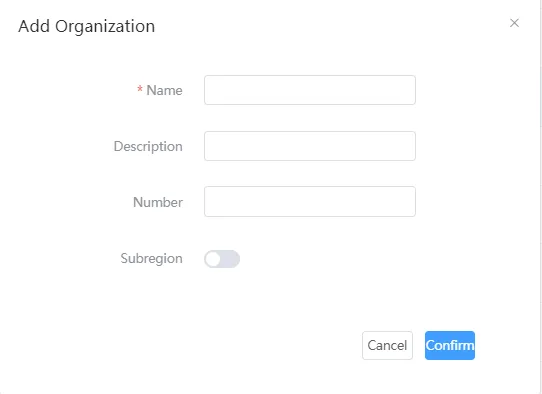
Enter the organization name and confirm the description of the organization to add, which is to add the subordinate organization of the currently selected organization.
10.2.2 Update Organization
10.2.3 Delete Organization
Click Delete next to the organization to delete the corresponding organization, and the organizations under that organization will also be deleted.
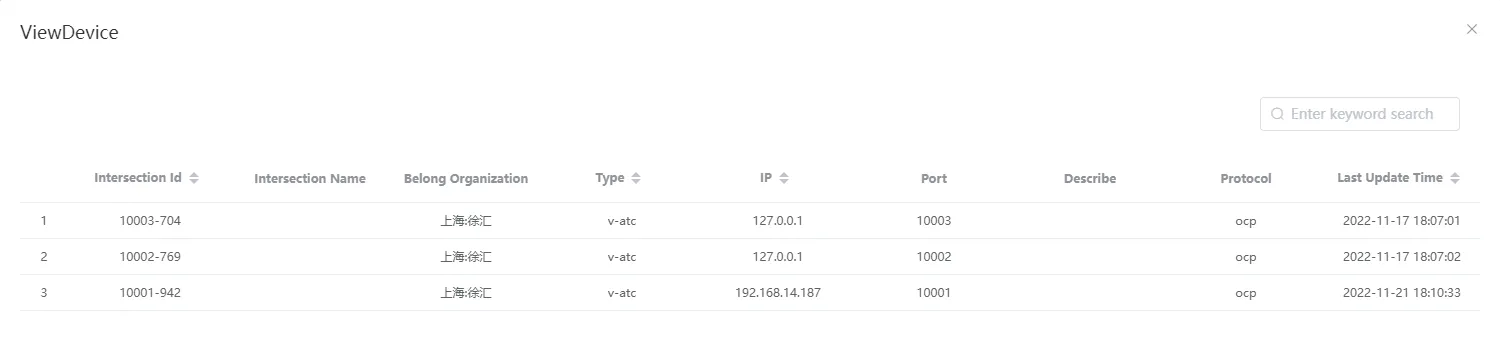
10.2.4 View Device
View devices can query all devices associated with the organization
10.2.5 Associated Device
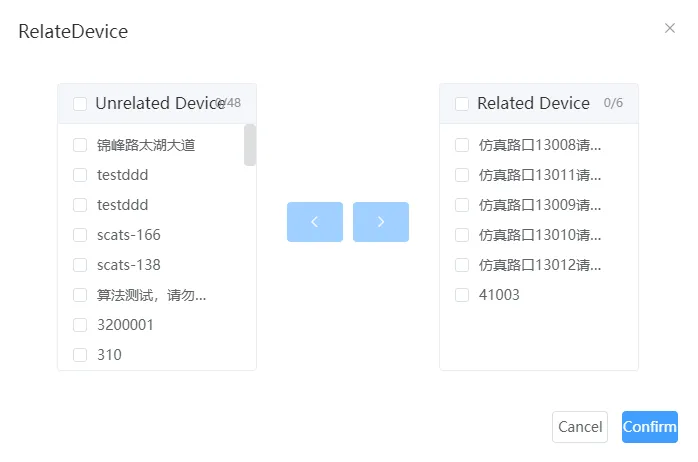
Associated devices can associate devices with an organization, and the organization can only see the device information associated with it.
10.2.6 Search
Enter the value to be searched in the search box. After clicking search, the value containing the specified search appears, and the query is a global fuzzy query.