8. Data Analysis
8.1 Basic Data Statistics
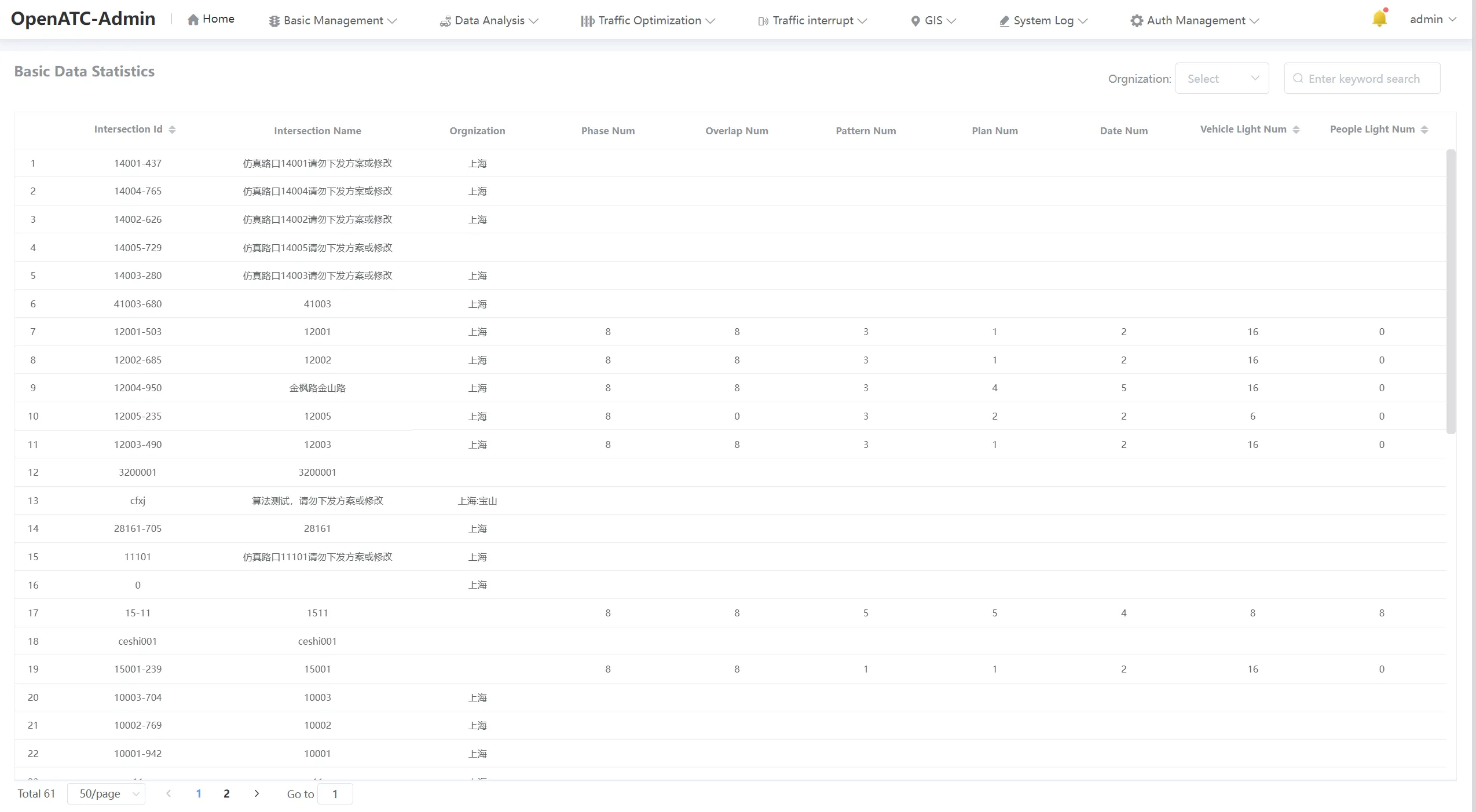
Click "Data Analysis - Basic Data Statistics" in the menu bar to enter the corresponding interface, you can view the intersection name, organization, and phase num, overlap num, pattern num, plan num, date num, vehicle light num and people light num corresponding to each intersection ID.
(1) Search Function
Filter to view the corresponding data statistics by selecting the root organization under Organizations in the top right, or by entering keywords.

(2) Pagination Function
The pagination function can set the number of records displayed per page, and at the same time, you can enter the page number to jump directly to the specified page.
8.2 Operation Frequency Analysis
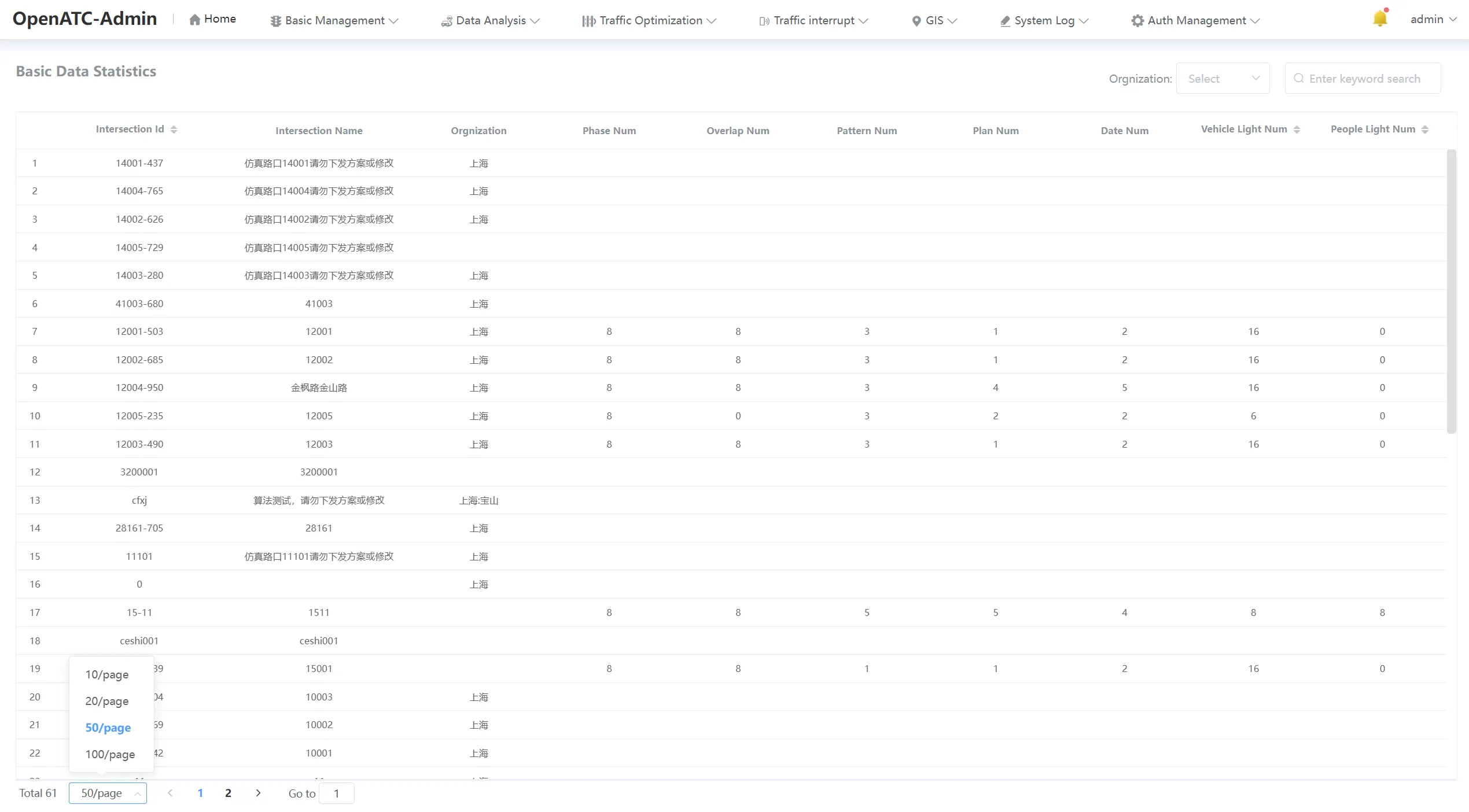
Click on the menu bar "Data Analysis-Operation Frequency Analysis", select the root organization, specific intersection, type, time, and statistical interval type, and click the icon , you can query the corresponding scheme number of the intersection, and export the relevant format files (.csv、.html and .pdf).
-
Type: Multi period, yellow flash, all red, turn off light, step lock, fixed cycle control, single point induction control, coordinated induction control, scheme selection control, adaptive control, nocable control, cable control, pedestrian crossing control, pattern recovery, phase dwell, channel detector, direction lock, Webster single point coordination, inductive pedestrian crossing, phase lock, phase release control, emergency control, device maintenance, template pattern and scheme update frequency.
-
Interval Type:Day or Hour。